

Featured Images
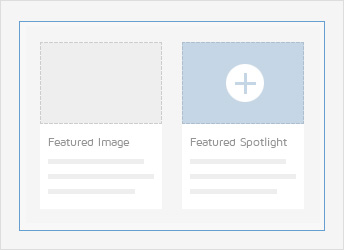
Present your blog images in a beautiful design. The Featured Image is placed in front of the title and benefits from the whole article width. To make them look even better, you can enable the Widgetkit Spotlight effect on all Featured Images.
-
Joomla: Add an Intro Image to your article in the Images and Links option
WordPress: Click Set featured image in the post and upload the image you want to add -
Joomla: Set the Image Float to none
-
Enable Featured Spotlight in the template configuration if you like
"Trackback" Enlace desde tu web.

Comentarios (5)
arderbor elnot
| #
Nice read, I just passed this onto a colleague who was doing some research on that. And he just bought me lunch because I found it for him smile Thus let me rephrase that: Thank you for lunch! «A thing is not necessarily true because a man dies for it.» by Oscar Fingall O’Flahertie Wills Wilde.
Responder
sfokcer topsde
| #
I like what you guys are up also. Such smart work and reporting! Carry on the superb works guys I’ve incorporated you guys to my blogroll. I think it will improve the value of my web site 🙂
Responder
zimerovertover
| #
Just wish to say your article is as amazing. The clearness to your submit is simply nice and that i could think you are a professional in this subject. Fine together with your permission let me to seize your RSS feed to stay up to date with forthcoming post. Thanks 1,000,000 and please continue the enjoyable work.
Responder
vorbelutrioperbir
| #
Good website! I truly love how it is simple on my eyes and the data are well written. I’m wondering how I might be notified whenever a new post has been made. I have subscribed to your feed which must do the trick! Have a great day!
Responder
credit reports for florida contractors
| #
Would you be excited about exchanging links?
Responder